
To manage company credit cards in Expensify, a Policy Admin with an email address on your company’s domain should follow these 3 steps.
Request Access
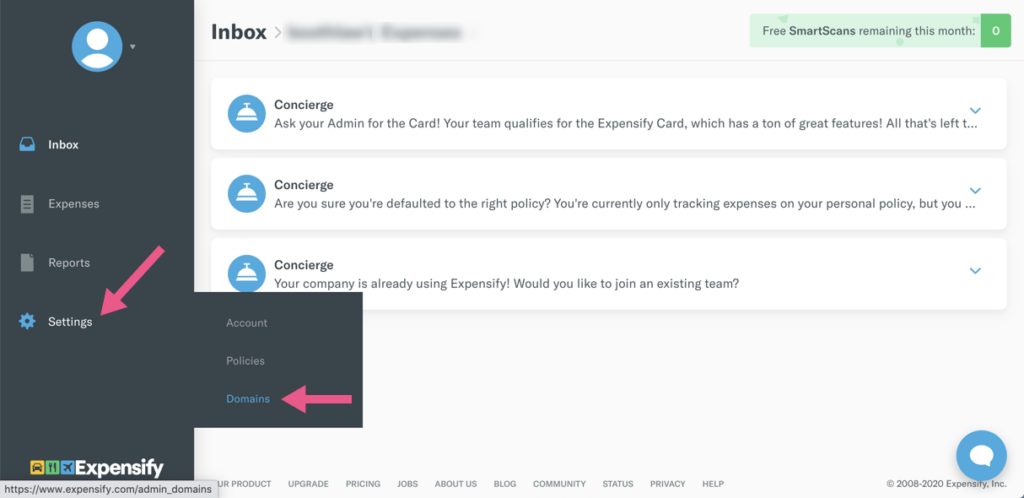
Navigate to Settings > Domain
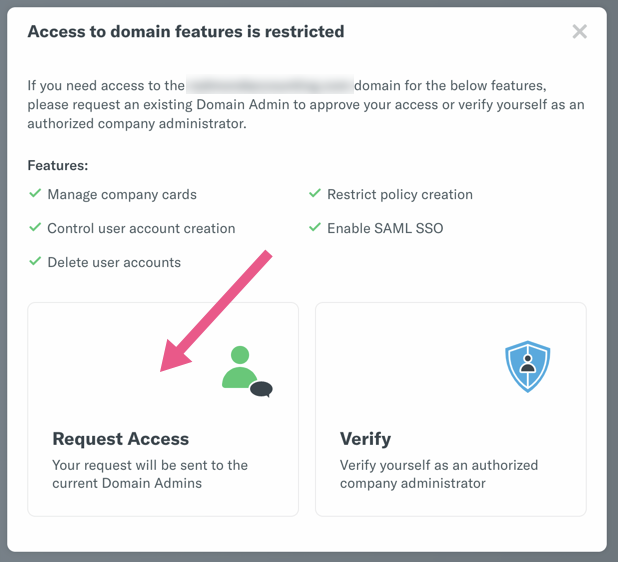
On the pop-up window, click the area in the lower-left to “Request Access”
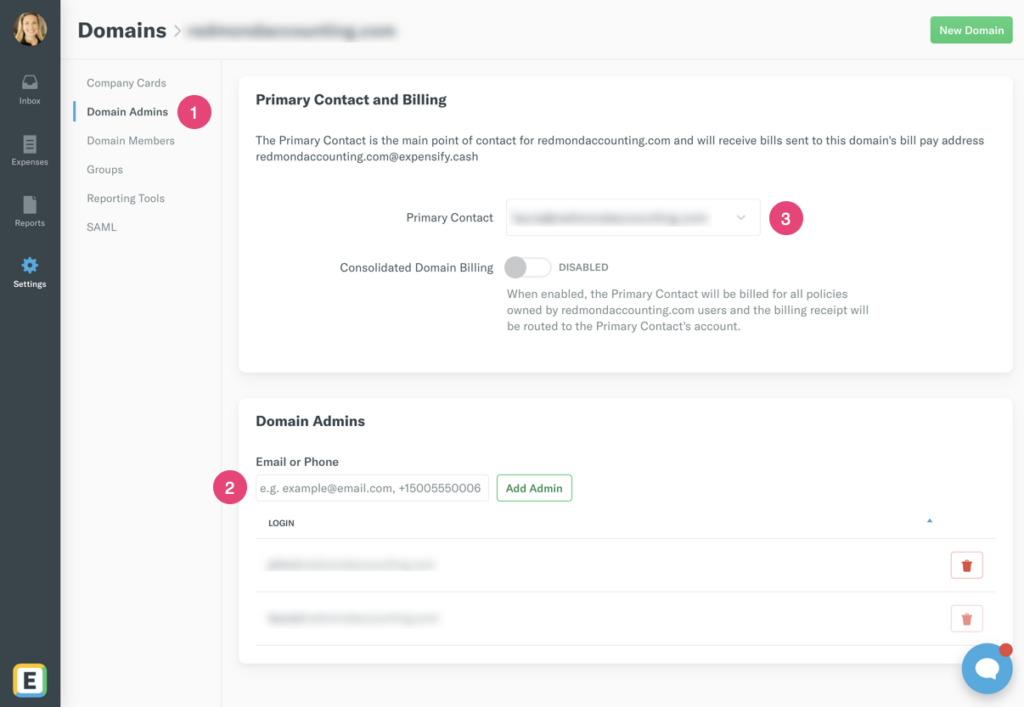
Add Redmond as Domain Admin
Once granted access, please make us a Domain Admin by using our firm’s email address for your company: [yourcompany]@redmondaccounting.com
Thank you!
Leave a Reply