
If a user configures their individual account to automatically submit reports, this can override the organization’s setting. Follow the instructions below to disable the individual setting.
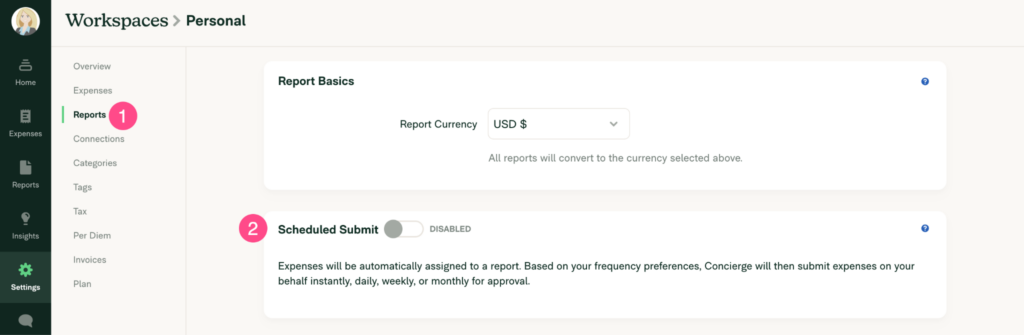
Sign in to Expensify and navigate to Settings (gear icon) > Workspaces > Individual > [Personal Workspace]

3. Click Reports. Scroll down to the section Scheduled Submit section. Make sure that the toggle is switched to “Disabled”
Leave a Reply