
Here are the steps to add your company credit card payment information to pay for your monthly or annual subscription fees.
Find the Billing Settings
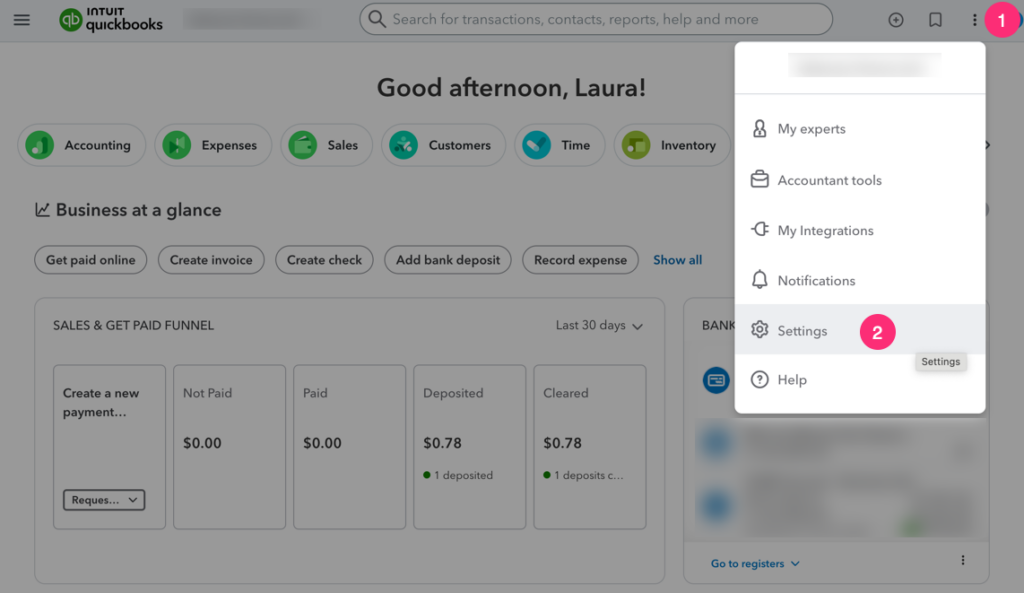
Log in to QuickBooks Online; use the top navigation bar to go to Ellipsis > Settings
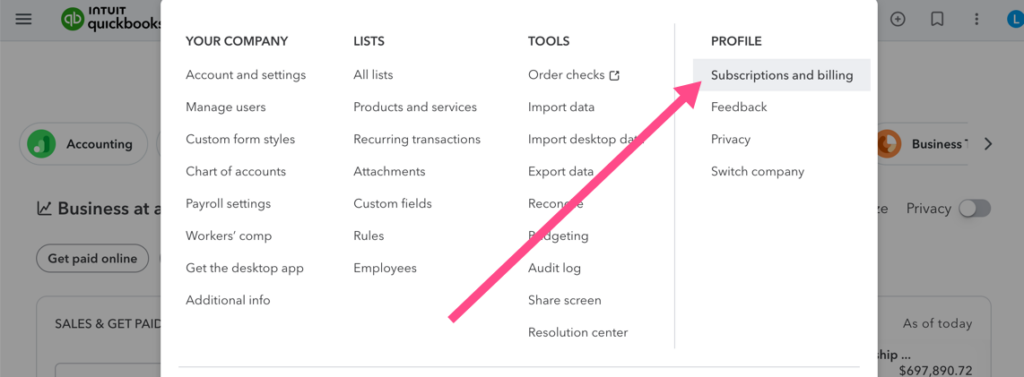
On the left navigation bar, click Subscriptions and billing.
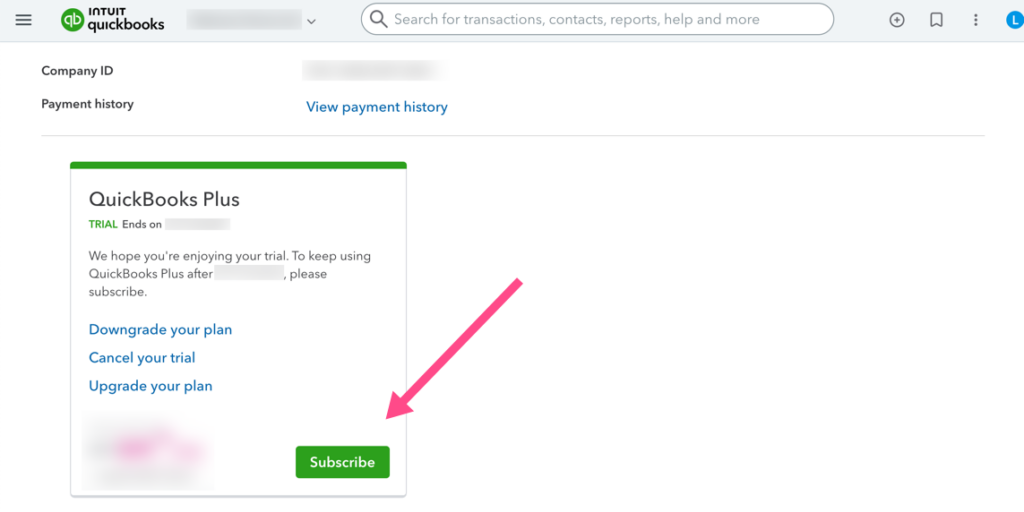
Find your subscription
Locate the tile with your QuickBooks Online subscription version (Simple Start, Essentials, Plus, or Advanced) and click the green Subscribe button. Compare versions here.
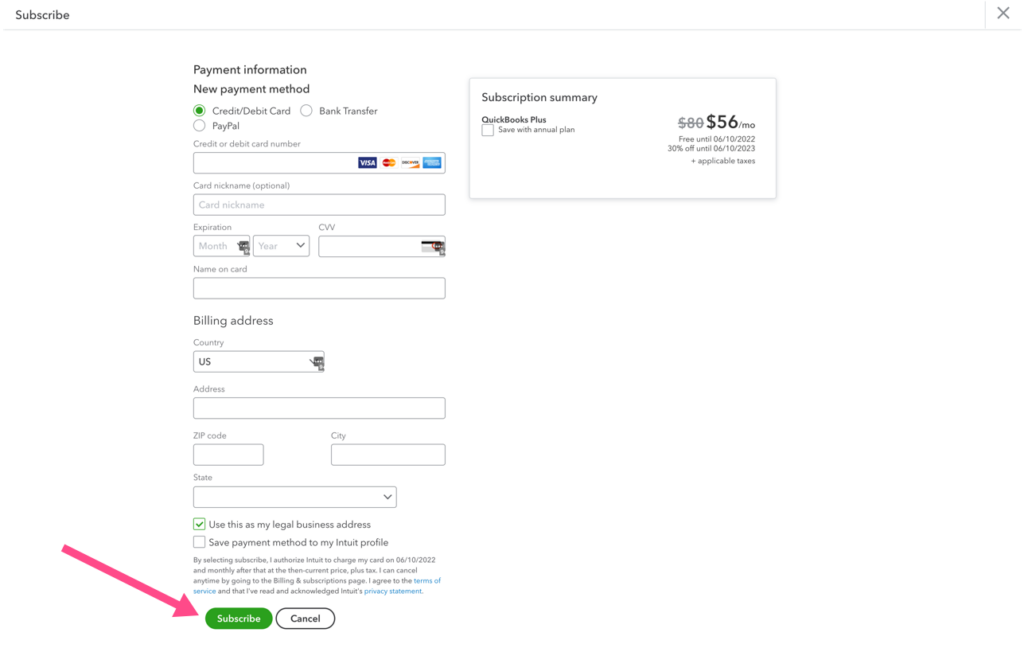
Add your payment info
Then submit your payment information to subscribe to QuickBooks Online. Note the annual option!
Leave a Reply