
Please follow these instructions to invite Redmond Accounting Inc to QuickBooks Online as the accountant user.
Adding an Accountant user does not count toward your user limit.
Navigate to Manage Users
- Log in to QuickBooks Online as an Admin user
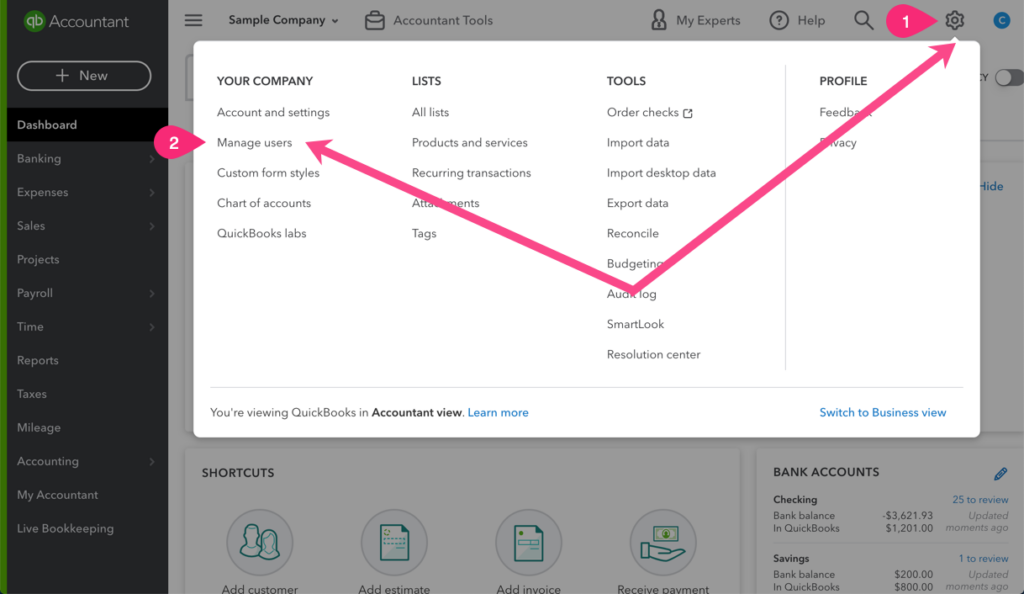
- Select the Gear icon in the top menu bar and then click Manage Users in the far left column
Invite the Accountant User
On the Manage Users screen, click the Accounting Firms tab.
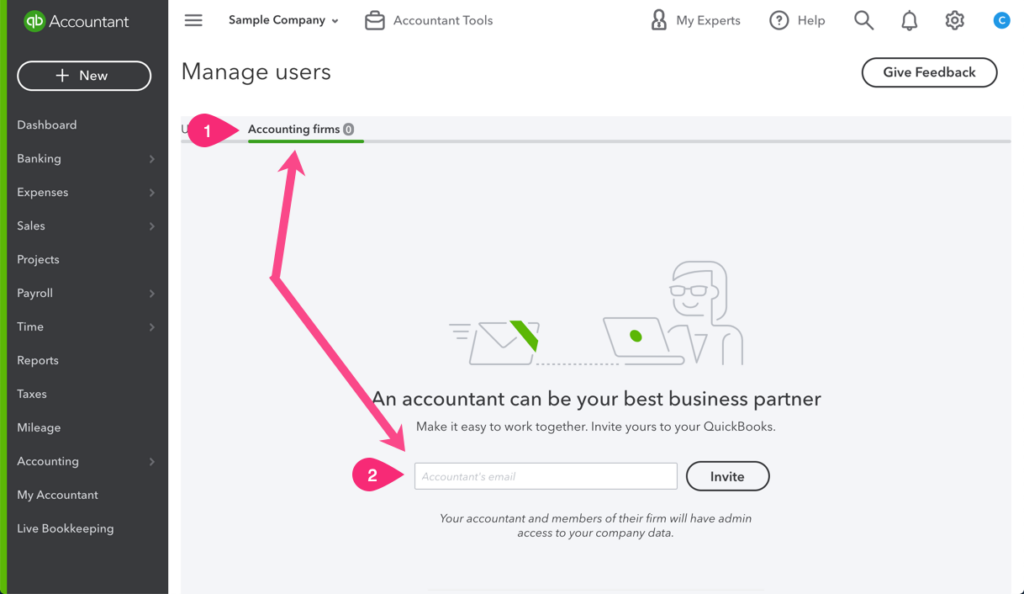
If you’ve never invited an Accountant user, you will see the screenshot above. Enter our firm email address: qbopro@redmondaccounting.com and click the Invite button.
If you have invited other accounting firms, click the Invite button and follow the prompts to invite our firm using this email address: qbopro@redmondaccounting.com
Leave a Reply