
Copilot access lets you grant another member access to your Expensify account without sharing your login credentials. You can control their access level and remove it at any time. This is helpful when you work with an executive assistant, accountant, bookkeeper, or colleague who needs to manage expenses and reports on your behalf. Learn more about Copilot here.
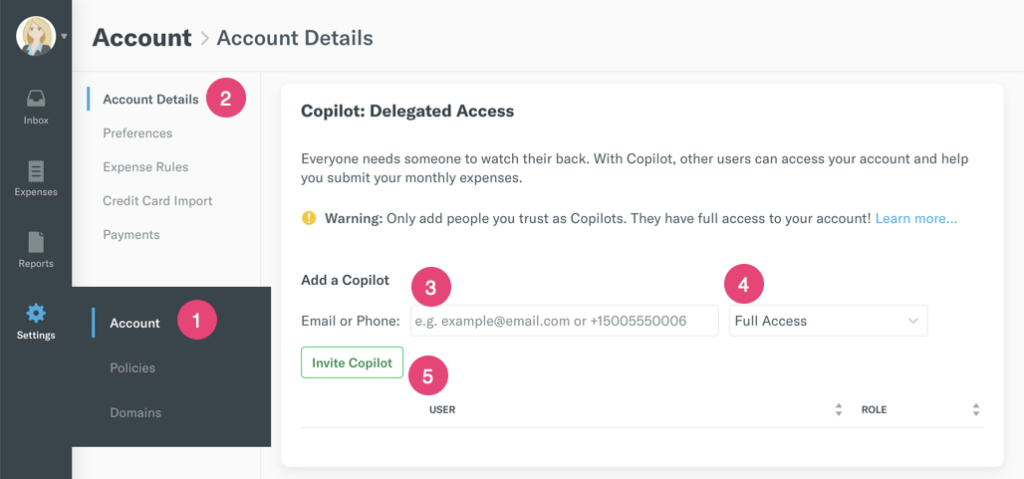
Navigate to Settings (gear icon) > Account > Account Details.
Scroll down to the Copilot section. Enter the email address of the person you want to delegate access to, such as [email protected]
Choose between Full Access or Submit Only and click the Invite Copilot button.
Leave a Reply