
You will need to do this manually whenever you make a change in QBO that you want to see in Expensify (such as adding a new account to your Chart of Accounts).
Exporting reports regularly from Expensify is not a two-way sync. Exporting reports pushes data from Expensify to QBO, but it does not pull new data from QuickBooks. To pull new data from QuickBooks Online, you will need to follow the procedure below
Perform the sync
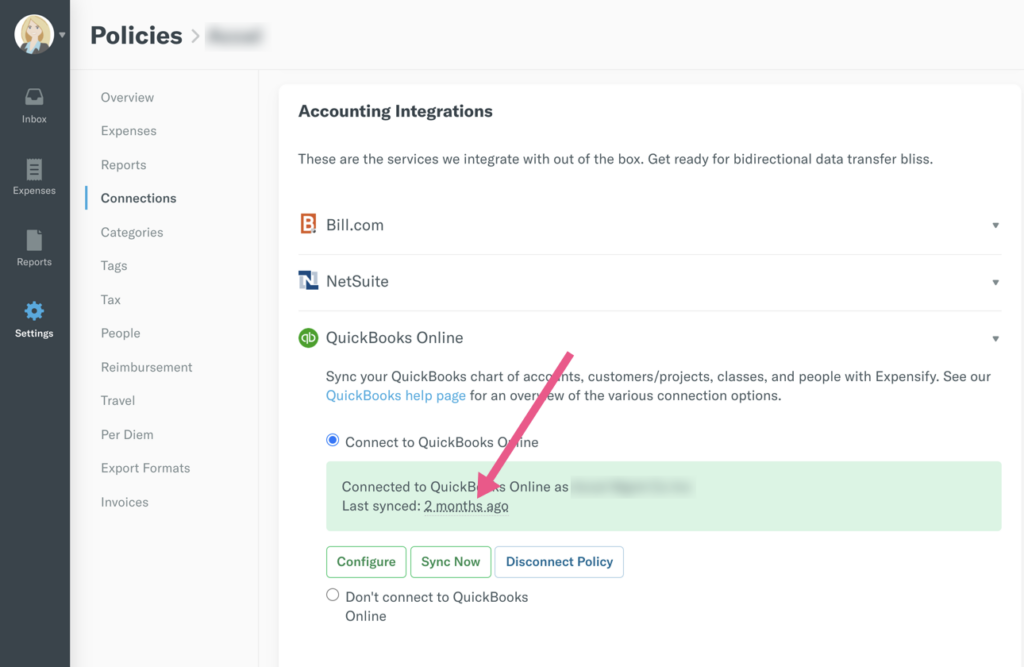
Navigate to Policy > Connections > QBO > Sync now button
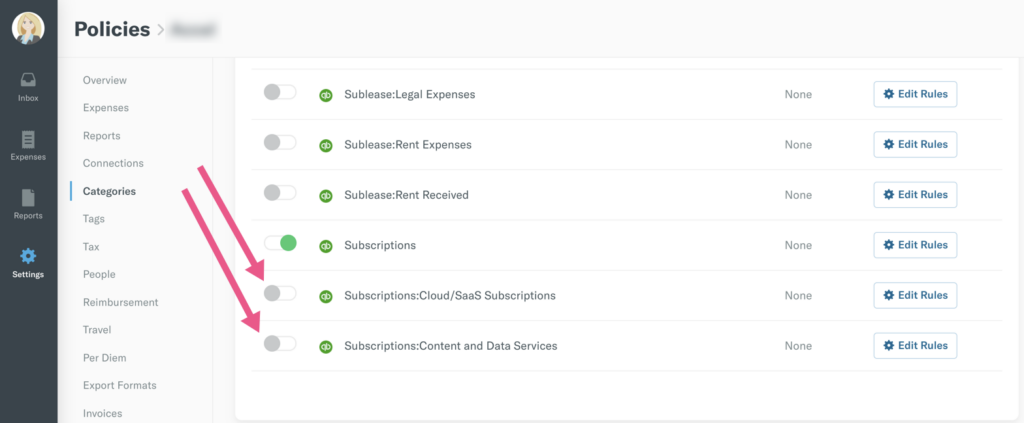
Review which accounts are shown in Expensify
Navigate to Policy > Categories. Toggle the switch to green to show the accounts in Expensify
Leave a Reply