
BILL sends email notifications to remind you when bills have been received or are awaiting approval or payment. Some people find email notifications overwhelming. You can turn them off in BILL if you like.
We suggest that new users:
- set a schedule for when they will log in to approve bills
- turn off email notifications to save your email inbox!
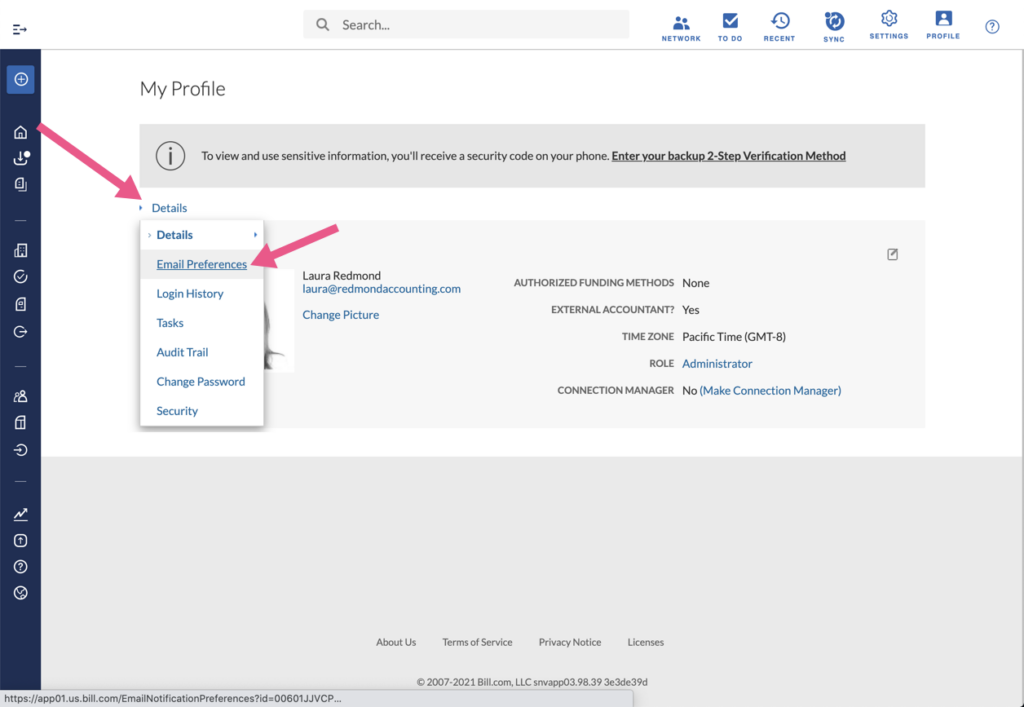
Navigate to Profile > My Profile

From the Details dropdown menu, select Email Preferences
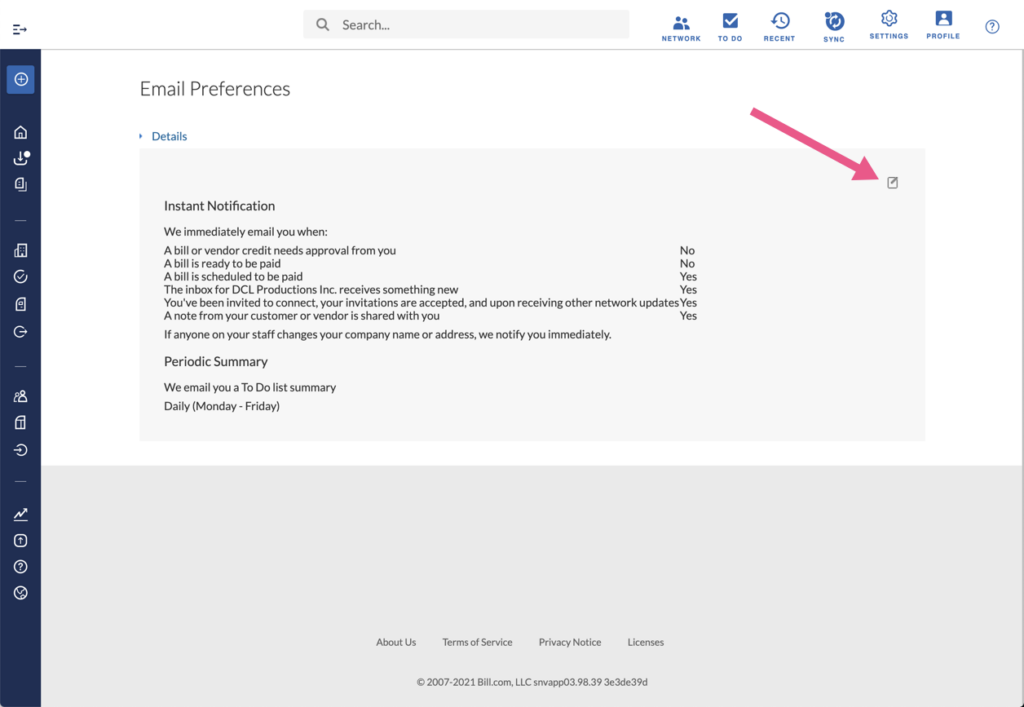
Click the pencil & paper icon to edit those settings.
Leave a Reply